


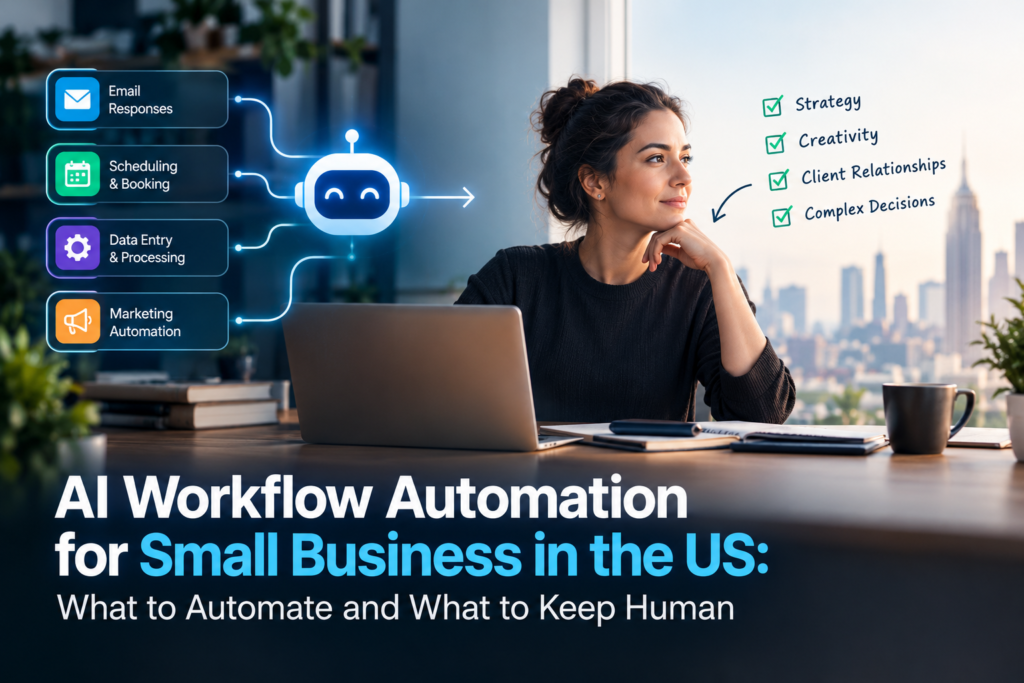
Most US small businesses already use some AI. Far fewer have built it into the way work actually flows through the company. That difference is what AI workflow automation for small business is about: not chatting with an assistant, but having AI handle a step inside a process, such as reading an incoming email, deciding where it goes and drafting the reply, while the rest of the workflow runs on its own.
What is AI workflow automation, and how is it different from regular automation?
Regular, rule-based automation follows fixed instructions: when a form is submitted, send this email and add a row to that sheet. It works well when the input is predictable and breaks when it isn’t. AI workflow automation adds a step that can interpret messy input, such as the free-text body of an email, a PDF invoice, a voicemail transcript or a chat message, and decide what it means. The surrounding workflow still moves data between your tools. The AI handles the part that used to need a person to read and judge.
How many US small businesses actually use AI?
Fewer than the headlines suggest, and the number depends on how you ask. The JPMorganChase Institute, which measures payments for AI services in Chase small business accounts, found that the share of US small businesses paying for AI grew from 5.2% in 2023 to 17.7% by the end of 2025, with employer firms at about 26% and firms without employees at about 15%. The Census Bureau’s Business Trends and Outlook Survey put AI use at roughly 17% of US businesses in late 2025. Surveys that ask owners whether they “use or are exploring” AI report much higher figures, because the question is looser.
None of these numbers measure AI embedded in workflows specifically. They mostly capture people using AI tools, which is the easy part. Connecting AI to your CRM, inbox and accounting software is the harder step, and it is where most of the time savings come from.
What are real examples of AI workflow automation for a small business?
- Lead triage and first response. A new enquiry arrives by form, email or text. AI reads it, tags it by service and urgency, routes it to the right person, and sends an immediate, accurate acknowledgment.
- Invoice and receipt capture. AI pulls vendor, date and amount from PDF or photo invoices and enters them in your accounting software for a person to approve.
- Support inbox triage. AI sorts incoming messages by topic and urgency and drafts a reply from your own policies for a team member to check and send.
- Call and meeting notes to CRM. AI turns a transcript into a short summary and updates the contact record and next step.
- Scheduling and reminders. AI handles back-and-forth over times and sends confirmations and reminders.
- Weekly reporting. AI pulls numbers from your ad platforms, CRM and sheets and writes a plain-English summary.
What should stay human?
Keep a person in charge of anything where a wrong answer is expensive or sensitive: refunds and pricing exceptions, complaints from upset customers, anything legal or medical, and any message that makes a commitment on your behalf. A good design is “AI drafts, human approves” for the first few weeks, then you loosen review only on the steps that prove reliable. Log what the AI did so you can check it later.
What rules should US businesses keep in mind?
If a workflow sends texts, places calls or sends marketing email, US rules apply regardless of how the message was written. The Telephone Consumer Protection Act (TCPA) generally requires consent before you send automated marketing texts or place autodialed or prerecorded calls to mobile numbers, and the CAN-SPAM Act requires marketing emails to include an opt-out that you honor. State privacy laws, such as California’s CCPA, can also apply to the customer data a workflow handles. This is general information, not legal advice, so have an attorney review anything customer-facing before you switch it on.
How do you get started with AI workflow automation?
- Pick one repetitive process that eats real time, usually enquiry handling, invoicing or reporting
- Write down the steps as they happen today, including the exceptions
- Decide which single step needs judgment, and put the AI only there
- Keep a human approval step at first
- Run it on a small slice of real work for two to four weeks and compare it with doing it by hand
- Add the next process only once the first one is stable
For a broader framework on choosing your first process, see our guide to what to automate first, and our explainer on what GPT-6 Astra changes for automation.
Where does Azizi Media fit?
Azizi Media is a digital marketing and automation agency that works with businesses in the US, India and the UAE, remotely. Our automation work centers on marketing and sales operations: connecting lead sources, your CRM, email and messaging so enquiries are answered and recorded without manual effort. We build on workflow platforms such as Make, n8n and Zapier, and use AI models from OpenAI and Anthropic’s Claude for the steps that need judgment. Typical timelines we quote are one to two weeks for a simple automation, three to five weeks for a mid-complexity setup and six to ten weeks for a comprehensive multi-system build.
Get daily marketing tips, growth strategies & behind-the-scenes wins. Follow @azizi_media on Instagram — where we share what actually works in digital marketing.
It is a good fit if you want automation tied into the marketing and sales you already run. It is not the right fit if your main need is deep ERP or legacy finance integration or a custom software product. See our business automation services.
FAQ
1. What is the difference between workflow automation and AI workflow automation?
Workflow automation runs fixed rules between your tools. AI workflow automation adds a step that can read and interpret unstructured input, such as emails and documents, and decide what to do with it.
2. Is it safe to let AI send messages to my customers?
Start with AI drafting and a person approving. Move to automatic sending only for low-risk, well-tested messages, and make sure consent and opt-out requirements (for example under the TCPA and CAN-SPAM) are built in.
3. Do I need to replace my current software?
Usually not. Most AI workflows connect the tools you already use, such as your CRM, email, calendar and accounting software.
4. How long does it take to set up?
A simple automation can be live in one to two weeks. Mid-complexity setups typically take three to five weeks, and comprehensive builds six to ten.
5. How much does AI workflow automation cost?
It depends on how many systems are involved and how much custom logic is needed, plus the monthly cost of the platforms and AI models you use. A reputable provider will scope a fixed price after looking at your process.
6. Does Azizi Media work with US businesses?
Yes. We work with businesses in the US, India and the UAE, remotely. Talk to us about your most repetitive process and we will tell you honestly whether automation is worth it.